Conductor Tools for Content Writers and Editors
Are you a Conductor customer?
Review this article—and the rest of our educational content and activities—in our in-platform Community!
Not a customer? Click here to view this article
Conductor provides various tools that help content writers and editors. You can use these tools to learn about your content to determine its performance, find gaps, and share your findings.
Get trained on the full topic ideation → content generation workflow:


Research
Research in Conductor discovers keywords for you to track based on topical areas your audience has shown interest in. Finding these keywords can help to focus your content strategy using the language your audience uses to talk about a particular topic.
Here's how you might use this
A content strategist at a B2B SaaS company wants to create a blog series that aligns with customer pain points. Using Research, they discover trending industry terms and high-traffic keywords related to their product’s use case. This helps them craft blog topics that match how potential customers search for solutions, improving the chances of ranking well in search results.

Writing Assistant
Conductor's AI-powered Writing Assistant provides real-time insights from Content Guidance for a piece of content that you can write and edit directly in Conductor.
Here's how you might use this
A content marketer writing an article about "best morning routines for productivity" wants to ensure their content is optimized while writing. Using Writing Assistant, they get real-time suggestions for keyword usage, readability improvements, and other optimization opportunities. This allows them to produce search-friendly content without needing to revise extensively after writing.
Pages and Page Groups
The Pages and Page Groups reports make it easy to track and manage the performance of different pages and page groups on your website, compare content performance for different departments or authors, identify strong and weak performing pages, and have insight into where you have keyword and content opportunities.
Here's how you might use this
A digital marketing director at a multinational corporation needs to track how different product landing pages perform across regions. Using Pages and Page Groups, they organize content by country and product line, comparing engagement engagement data and conversion rates from their integrated web analytics. This helps them identify which content strategies work best in specific markets—and adjust accordingly.

Result Types
You can find opportunities for content creation with the Result Types report in Conductor, which shows you a visualization of the different universal result types that appear for your tracked keywords.
Here's how you might use this
An SEO specialist at a travel company wants to earn more universal result types for destination guides. They use Result Types to see if SERPs for their target keywords include rich results like "People Also Ask" or video carousels. With this data, they prioritize structured content formats (like FAQ sections) to increase their chances of appearing in these results.

Page Details
Page Details provides details about your site's performance at the page-level. In addition to tracking the organic performance of individual pages, Page Details relays pages' keyword visibility, identifies new keyword opportunities, and engagement data from your Google Search Console integration.
Here's how you might use this
A growth marketer at a SaaS startup wants to track how a newly launched pricing page is performing. They use Page Details to monitor organic search visibility, identify which keywords are driving traffic, and see engagement metrics from Google Search Console. If the page isn't ranking well, they can quickly adjust the content strategy based on this data.

Annotations and Content Activity Reporting
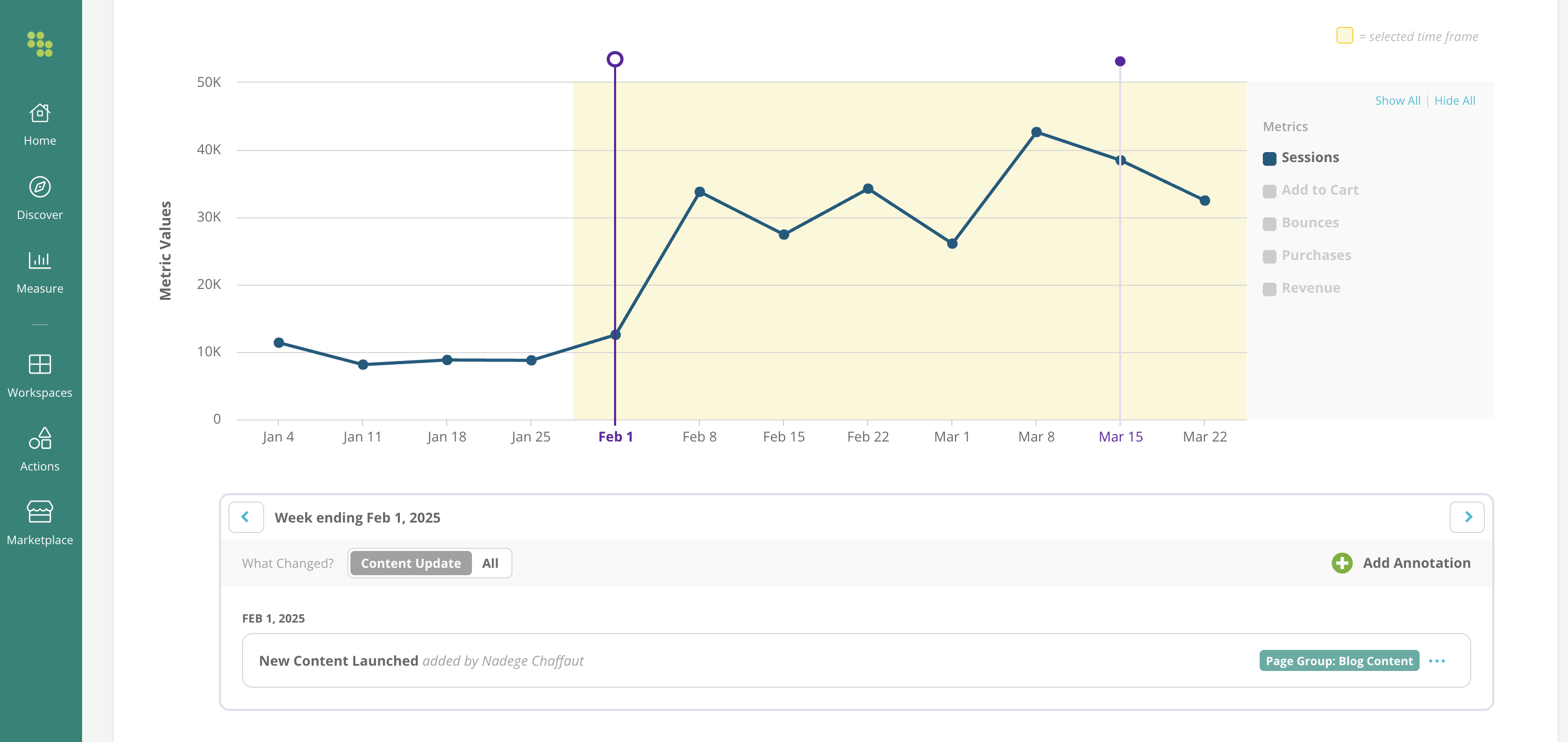
Annotations and Content Activity Reporting let you make connections between the changes you make to your content and the effects those changes have on your pages' performance. You can find annotations in the Pages report and the Page Details report.
Here's how you might use this
A content team lead at a news website wants to understand how a recent site redesign impacted traffic. Using Annotations and Content Activity Reporting, they note major content updates and compare performance before and after changes. This helps them correlate traffic spikes or drops with specific updates, making it easier to refine their SEO strategy.
Want to see some key workflows for content teams in action? Check out How Content Teams Use Conductor to Reach a Wider Audience.